The parent dashboard
You already know they did 20 minutes.This tells you what happened in them.
Every screen below is the real product, not a mockup. You can open the same dashboard yourself right now — no account, no card, no email address.
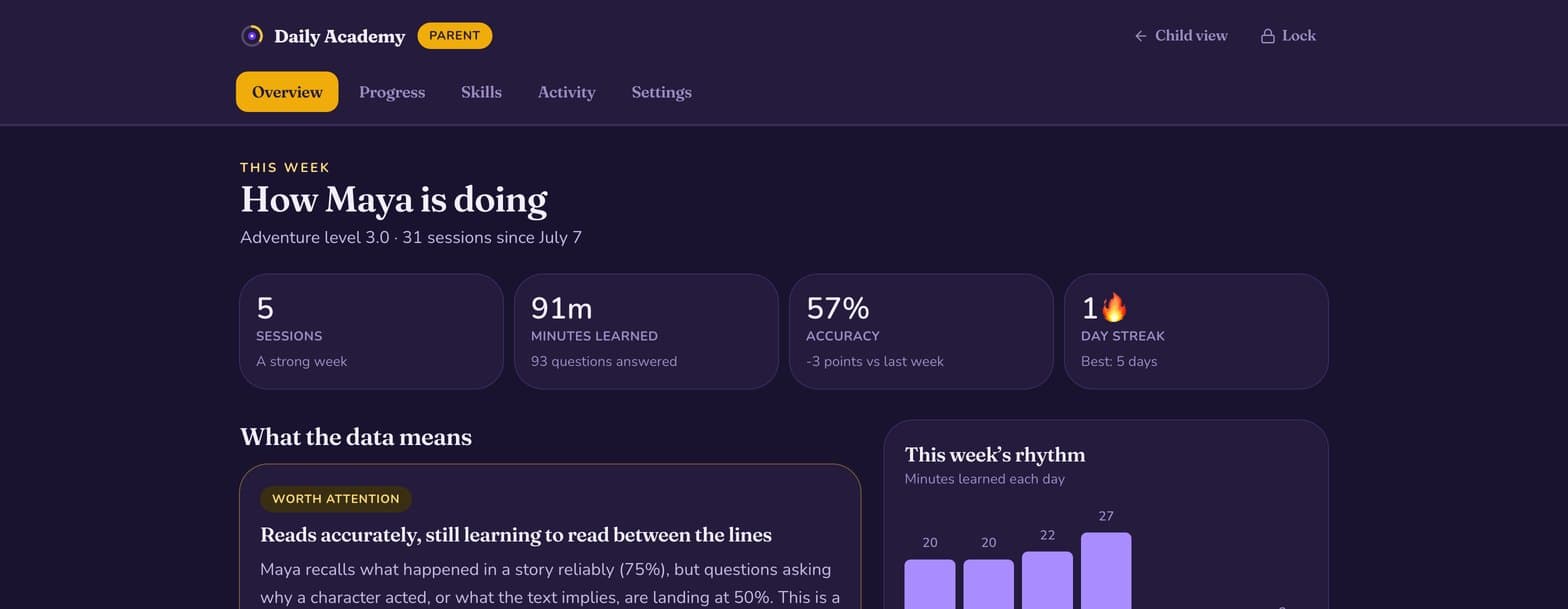
The weekly insight
Data is easy. Meaning is the hard part.
An accuracy percentage is not something you can act on. Every week the dashboard leads with one plain-language reading of what actually changed — and one specific thing to try at home.
- Written in sentences, not charts
- Names the cause, not just the number
- One recommended focus, never a list of ten
The skill map
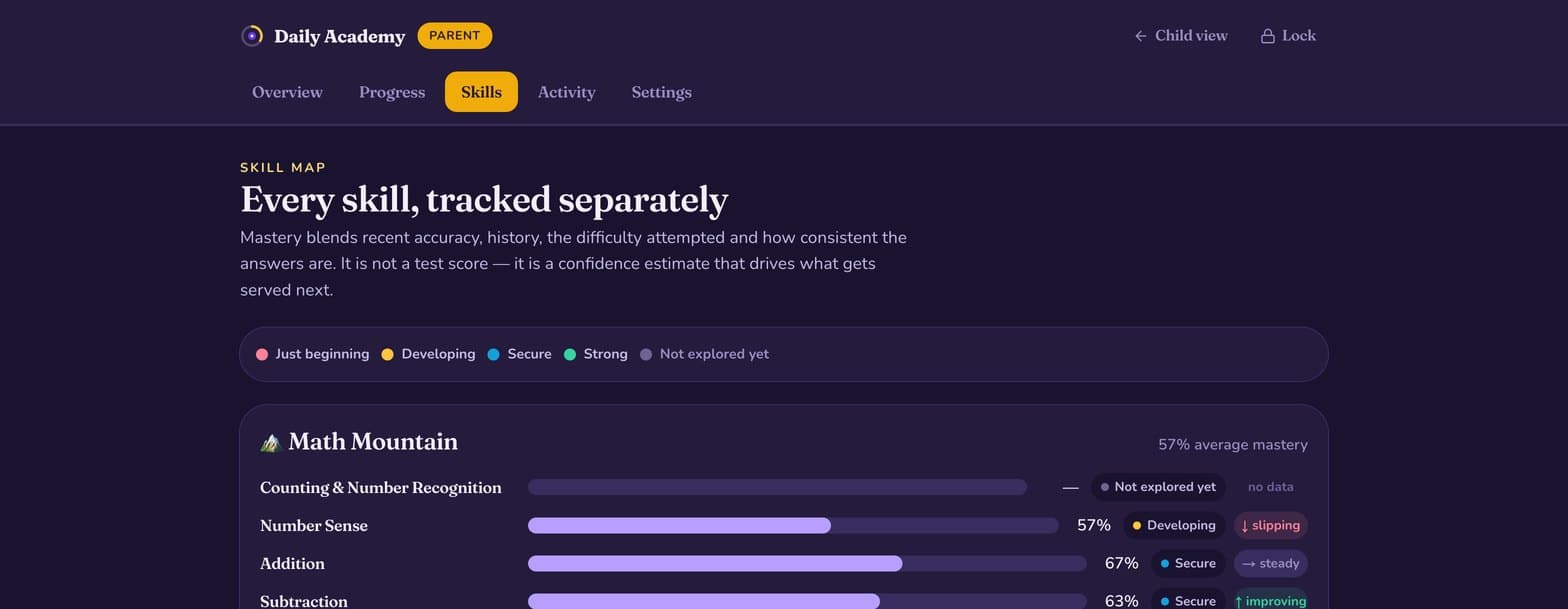
Strong addition never hides a wobble in fractions.
Mastery is tracked for every skill separately, so a single subject score can never average away the thing your child is actually stuck on. Each bar is a confidence estimate that drives what gets served next.
- Every skill at their grade, in all four worlds, scored on its own
- Banded from just beginning to strong
- Trend arrows: improving, steady, or slipping
The long view
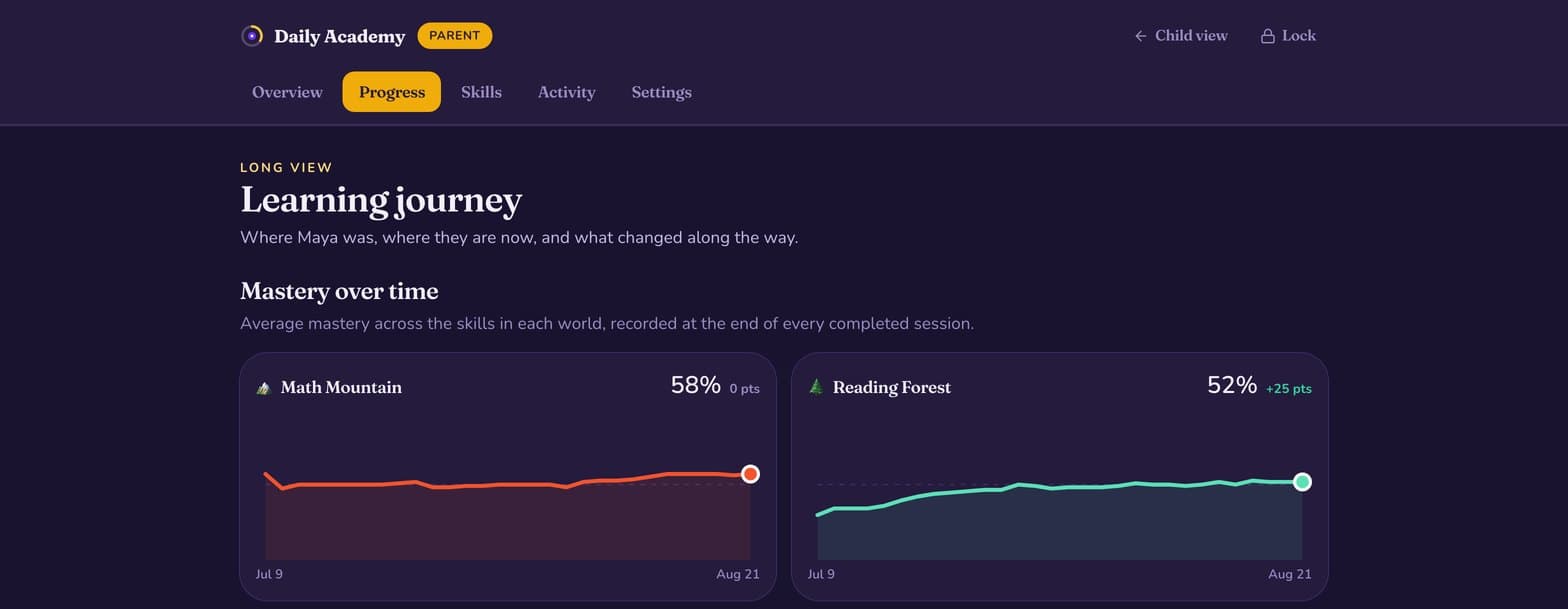
Where they were, where they are, what changed.
Six weeks of mastery per subject, recorded at the end of every completed session. Not a snapshot you have to interpret alone, but a line you can see bending.
- A trajectory for each of the four worlds
- Milestones marking what caused each turn
- Accuracy over time, week by week
The receipts
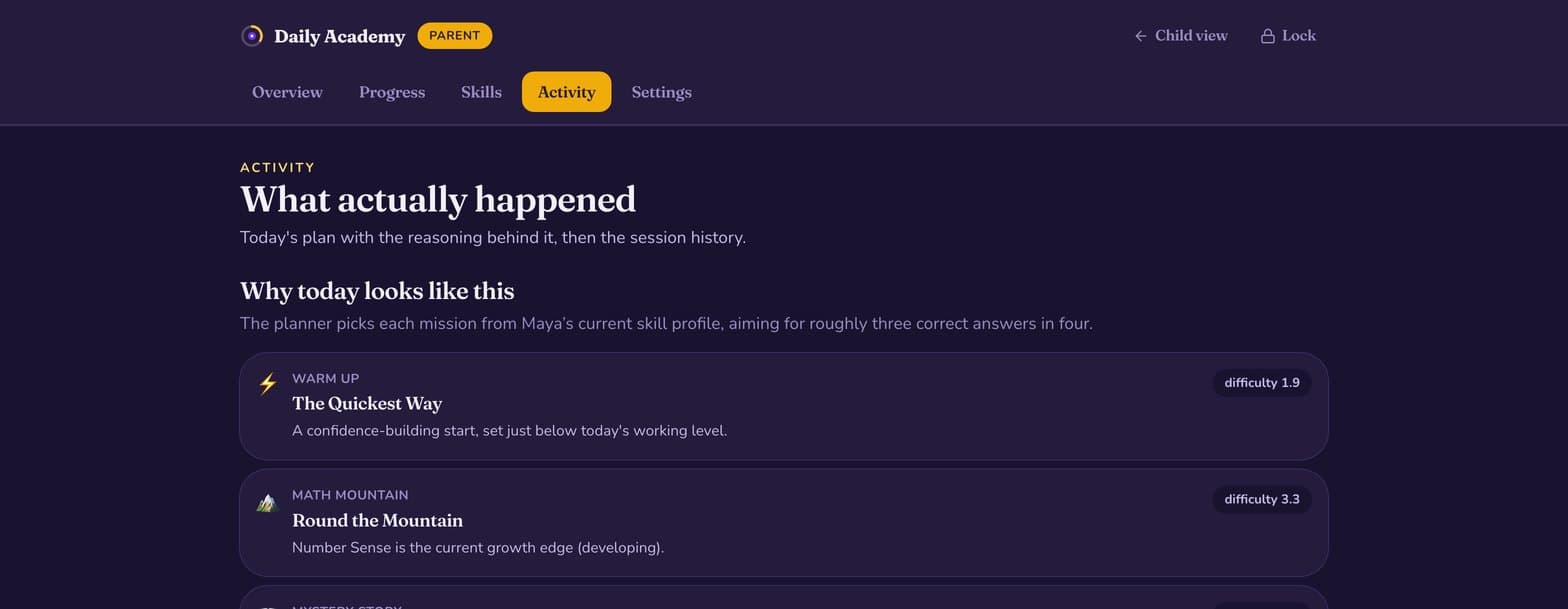
Why today's mission looks the way it does.
Every activity the planner chose, with the reason it chose it. If you ever want to check that the adaptivity is real rather than decorative, this is the page that shows its working.
- Today's plan with the reasoning behind each slot
- The difficulty each activity was pitched at
- Session history and the last questions answered
Also in the Family plan
The rest of what you get
Every child in the home
One subscription, however many children you have. Adding a sibling changes nothing on your bill.
The weekly email
What changed this week and one thing to try at home, in your inbox. Unsubscribe without losing anything else.
A printable term report
The skill map and trajectory on one page, for parent–teacher nights or a tutor who asked what you have tried.
Bonus challenges
The stretch question in each activity, unlocked as an optional extra for a child who wants more.
Behind a PIN
The whole parent area sits behind a PIN, so a curious child never wanders into analytics about themselves.
New content first
Every new batch of activities reaches Family households before anyone else.
What we never do with any of this
No adverts, ever. No public profiles or leaderboards. No analytics a child can see about themselves. We ask for your child’s first name and nothing else about them — not a birthday, not a school, not a photograph.
Go and look at it.
The sample family is open to anyone. When you are ready, the daily mission is free forever and the dashboard is $8.99 a month — with 14 days free and no card to start.